> For the complete documentation index, see [llms.txt](https://docs-v3.activeloop.ai/llms.txt). Markdown versions of documentation pages are available by appending `.md` to page URLs; this page is available as [Markdown](https://docs-v3.activeloop.ai/v3.7.1/storage-and-credentials/managed-credentials/microsoft-azure/enabling-cors.md).
# Enabling CORS
How to enable Cross-Origin Resource Sharing in your Azure account.
## Enabling CORS in Azure for Data Visualization
Cross-Origin Resource Sharing (CORS) is typically enabled by default in Azure. If that's not the case in your Azure account, in order to visualize Deep Lake datasets stored in your own Azure storage in the [Deep Lake app](https://app.activeloop.ai/), please enable [CORS](https://en.wikipedia.org/wiki/Cross-origin_resource_sharing) in the storage account containing the Deep Lake dataset and any source data in linked tensors.
### Steps for enabling CORS in Azure
1\. Login to the Azure.
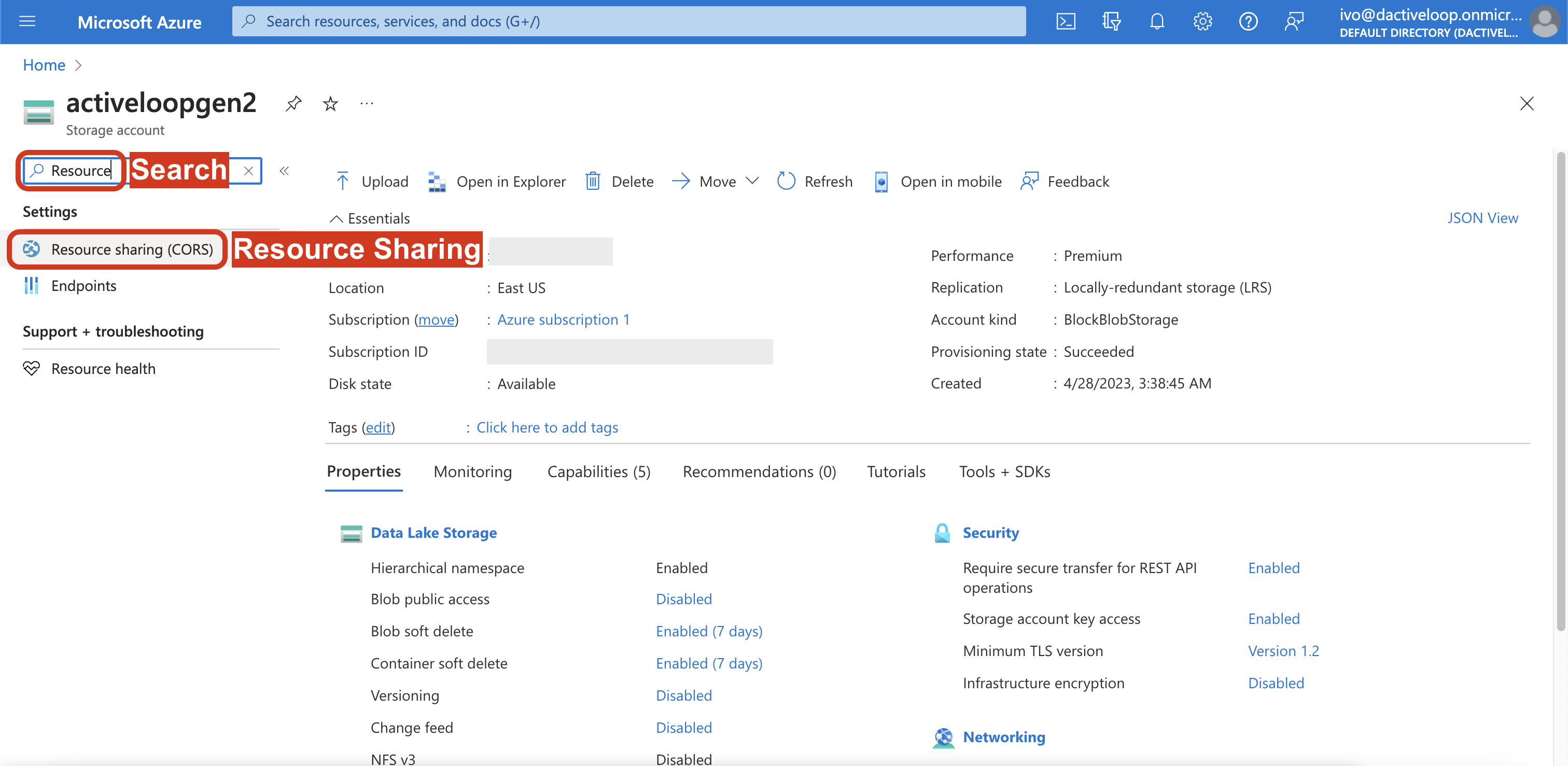
2\. Navigate to the `Storage account` with the relevant data.
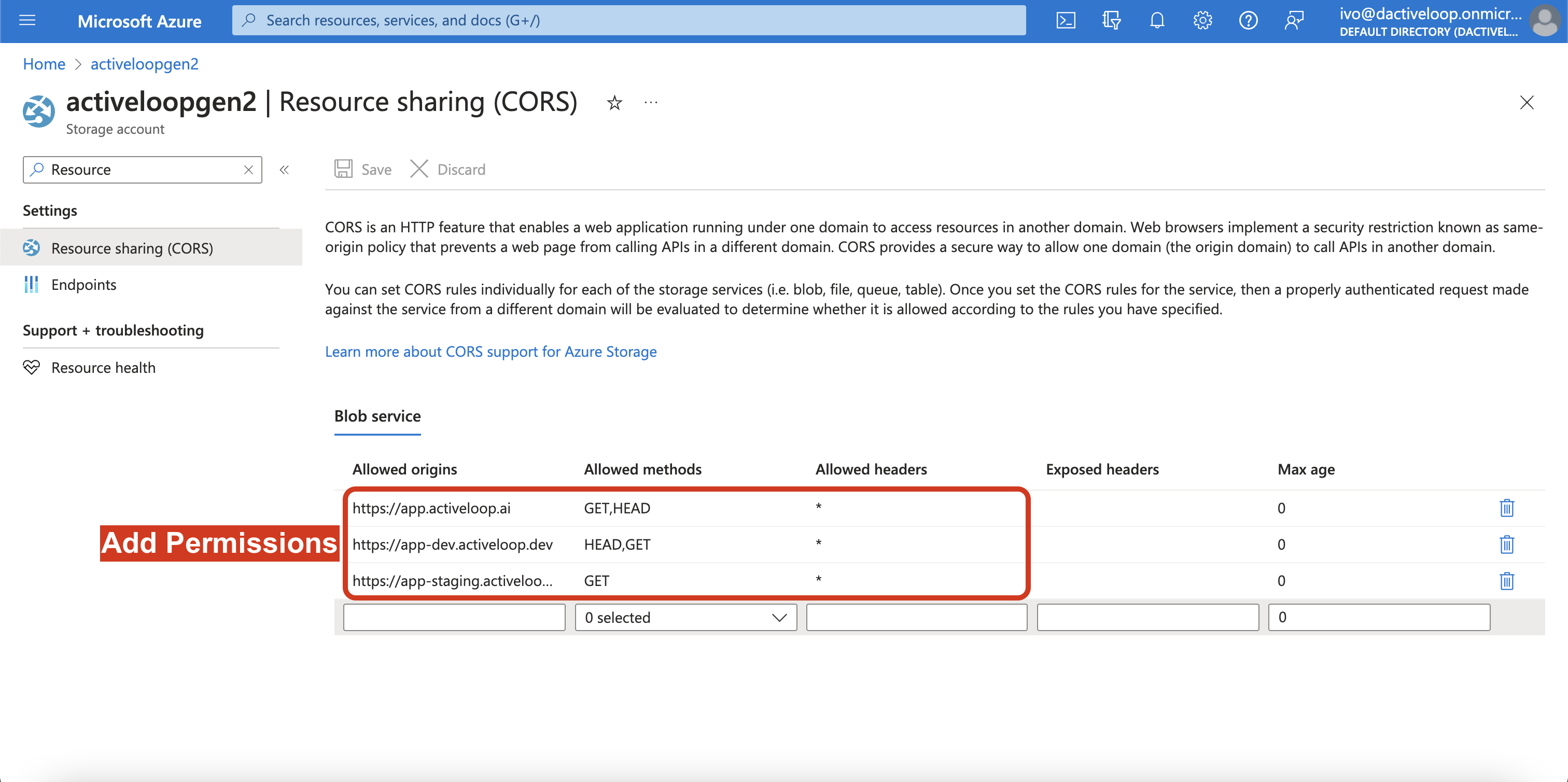
3\. Open the `Resource sharing (CORS)` section on the left nav.
4\. Add the following items to the permissions.
| Allowed origins | Allowed methods | Allowed headers |
| ----------------------------------------------- | --------------- | --------------- |
| | GET, HEAD | \* |
|